![FRP Bypass APK v1.1.0 Download for Android [FREE]](https://relaxmodapk.com/wp-content/uploads/2026/07/FRP-Bypass-APK-.webp)
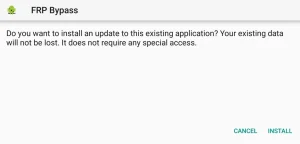
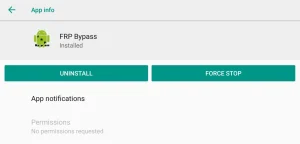
FRP Bypass APK unlocks Google verification after a factory reset for free and you don’t need a PC. It works on Android 5.1 through 15 so pretty much any locked phone can get home screen access back when you forgot the old Gmail. Simple install, no complex gear required.
What Is Google FRP Lock?
Factory Reset Protection starts with Android 5.1 and blocks setup after a reset until the old Gmail signs in. It stops strangers from using a wiped phone if stolen. If you forgot that account you stay stuck at the verification screen until you bypass it.
Why Get FRP Bypass Now?
It gives a free unlock with no computer attached when credentials are long gone. FRP Bypass APK opens paths back to the home screen after reset so you’re not locked out forever. Honest fix for forgotten logins and second-hand phone setups alike.
Key Features You Actually Get
You get real multi-path support that matters on modern handsets every day. Android 13 through 16 builds work fine plus browser opens, hidden settings access and ADB toggles across Samsung, Infinix, Vivo, Oppo, Xiaomi and Realme phones without drama.
- Compatible with latest Android 13, 14, 15 and 16 builds
- Opens browser, hidden settings, and ADB paths
- Returns access to the home screen after reset
- Built for forgotten credentials
- Covers Samsung, Infinix, Vivo, Oppo, Xiaomi, Realme
- Easy process and reliable everyday use
What You Need Before Starting
Three basics keep the install smooth and avoid mid-process failures. Android 5.1 or higher is required, Unknown Sources must be on, and battery needs 50% or more so nothing dies halfway through. Skip any of these and setup stalls.
- Android 5.1 or higher
- Unknown Sources enabled in settings
- Battery at 50% or above
How to Install and Unlock
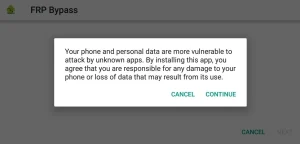
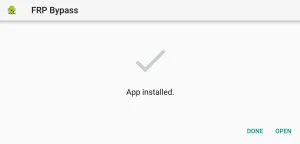
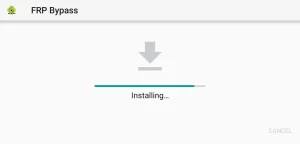
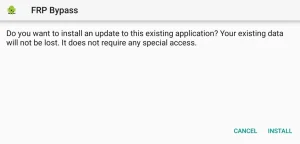
Follow these steps like a first-timer and the lock drops clean. Grab the latest file, open it through Files, install it, then visit the tool page, open Settings, reset system settings only, erase data, wait a few minutes and finish setup. The verified copy on relaxmodapk.com stays current so installs stay clean.
- Download the latest FRP Bypass APK to your phone
- Open File Manager and locate the APK
- Tap the file and install it
- Open the installed app
- Return to the device browser
- Type tiny.cc/frptools or bit.ly/2NKxXYs in the search bar
- Open the FRP Apps section
- Choose Open Settings App and tap Open
- Enter device Settings
- Open System Settings
- Tap Backup & Reset, then Reset Phone
- Choose Reset System Settings Only and confirm
- Select Erase All Data and confirm
- Device reboots and factory reset begins
- Wait 3, 4 minutes for the automatic boot
- Complete initial setup steps
- FRP verification is unlocked
How to Disable FRP Before Sale
Remove Google accounts first so the next owner never hits the lock. Open Settings, hit Accounts, remove every Google entry, then run Factory data reset under System. Confirm and the phone ships ready without leftover FRP.
- Open the Settings app
- Select Accounts
- Choose each Google account and tap Remove
- Return to the main Settings menu
- Open System
- Select Reset options
- Tap Factory data reset
- Confirm with the blue button
- Enter PIN, password, or pattern if asked
What People Usually Ask About FRP
Android 5.1 introduced FRP and it turns on automatically with the first Google account. It blocks reuse after a factory reset so only the original owner can finish setup. Simple protection that has stuck around for years.
Yes. Remove the Google account before you factory reset or use FRP Bypass APK tools after the lock hits. Either path gets you past verification and back onto the home screen without endless loops.
No. FRP activates after the reset finishes so a wipe alone can’t clear the Google check. You still need the old account or a proper bypass method once the protected screen appears.
No. Warranty stays intact unless you flash firmware or unlock the bootloader. App-based FRP Bypass APK methods leave the warranty alone and keep the device under normal coverage terms.
Support runs from Android 5.1 through the latest builds including 13, 14, 15 and 16. Most brands stay covered and people who grab files through relaxmodapk.com rarely hit odd compatibility snags during install.





Comments